The Liene M200 review comes down to a useful combination: dye-sublimation 4×6 color printing, a built-in Wi-Fi hotspot, and a rechargeable battery for printing away from an outlet.
It suits people who want physical copies of phone photos at home, gatherings, or while traveling.
Liene M200 Review Summary
The quick verdict

500+ ratings
Read Amazon ReviewsLiene M200
A fit for families and travelers who want app-edited 4×6 color prints, with the option to print away from an outlet.
- Prints color photos on glossy 4×6-inch paper using dye-sublimation technology.
- A built-in rechargeable battery allows printing without a power cord, for up to 40 prints per charge.
- Built-in Wi-Fi hotspot enables direct connection and is intended to avoid interference from an unstable home network.
- Supports iOS, Android, laptops, and PCs; up to five users can connect simultaneously.

Pros
- Battery operation makes short print sessions possible away from an outlet.
- Direct hotspot connectivity can simplify printing when a home network is inconvenient.
Consider before buying
- The supplied starter pack contains 20 sheets, so buyers planning frequent printing should check the ongoing cost and availability of compatible paper and cartridges.
- The battery is described for up to 40 prints per charge; larger print sessions may require access to a power cord or a recharge.
Read the full review summary
The M200 is designed around simple, shareable photo printing. Its dedicated hotspot can connect compatible phones, computers, and laptops without relying on a home network, while the app offers basic edits, filters, and borders.
Up to five users can connect at once, which may suit a household or small gathering where several people want to print.
The battery edition adds flexibility for occasional printing away from a power cord, with up to 40 prints per charge.
Dye-sublimation printing and a protective finish are intended to produce colorful 4×6 photos with resistance to water, scratches, and fading.
This is a compact photo printer for people who value physical keepsakes; it is not presented as a general-purpose document printer.
The buying factors
Liene M200 Scorecard
Editorial scores reflect listed features and buyer fit; they are not laboratory measurements or customer ratings.
Portable printing
The rechargeable battery supports printing without a cord, with up to 40 prints per charge.
Connection flexibility
A built-in hotspot supports direct connection, and the printer is described as compatible with iOS, Android, laptops, and PCs.
Group sharing
Up to five users can connect at the same time, useful when several people are choosing photos.
Photo finish
Dye-sublimation color layers and a protective final layer are intended to create vibrant, more durable prints.
App editing
The app provides basic editing, filters, and borders before printing.
Setup convenience
The dedicated hotspot avoids dependence on an existing home network, though buyers should follow the setup steps and check device compatibility.
Key Features and Specifications of Liene M200
- Prints color photos on glossy 4×6-inch paper using dye-sublimation technology.
- A built-in rechargeable battery allows printing without a power cord, for up to 40 prints per charge.
- Built-in Wi-Fi hotspot enables direct connection and is intended to avoid interference from an unstable home network.
- Supports iOS, Android, laptops, and PCs; up to five users can connect simultaneously.
- The companion app offers basic editing, filters, and borders, and can notify users when paper or the cartridge runs out.
- The package includes 20 sheets of photo paper, one ink cartridge, and a power adapter.
- A magnetic top lets the paper cassette rest on the printer after use, helping keep the compact setup together.
Pros and Cons of Liene M200
Pros
- Battery operation makes short print sessions possible away from an outlet.
- Direct hotspot connectivity can simplify printing when a home network is inconvenient.
- Up to five simultaneous connections support sharing at family events or with housemates.
- App filters and borders let users make simple adjustments before printing.
- The included paper and cartridge provide supplies to get started.
Consider before buying
- The supplied starter pack contains 20 sheets, so buyers planning frequent printing should check the ongoing cost and availability of compatible paper and cartridges.
- The battery is described for up to 40 prints per charge; larger print sessions may require access to a power cord or a recharge.
- Printing depends on the app and a compatible phone or computer, so buyers should confirm their devices work with the setup they plan to use.
Who Should Buy Liene M200?
Good fit
Consider the M200 if you want 4×6 prints from phone photos and value the option to print without staying beside an outlet.
Its battery, dedicated hotspot, and support for multiple connected users make it a practical choice for travel moments, family gatherings, and casual home printing.
It is also worth considering if you want modest editing before printing.
The app’s filters and borders give you a few ways to personalize a photo, while the included paper and cartridge let you begin with a small print session.
Check that the app and connection method suit your devices, and plan for replacement supplies if printing becomes a regular habit.
Who should skip it
Skip it if you need a printer mainly for documents, scanning, or broad office tasks; the M200 is described as a print-only photo device.
It may not suit you if you need to print large batches away from power without pausing to recharge. The battery’s stated capacity is up to 40 prints per charge.
How the Liene M200 fits everyday photo printing
A battery changes where you can print
Many small photo printers are easiest to use near a power outlet. The M200’s built-in rechargeable battery gives buyers another option for short sessions at a gathering or during travel.
Its up-to-40-print capacity is a planning limit to keep in mind: estimate how many photos you expect to print and bring the power adapter if the session could exceed it.
A dedicated hotspot keeps the connection self-contained
The built-in hotspot is useful when you do not want printing to depend on the stability of a home network. The product also supports up to five connected users, which can make a shared session easier to organize.
Before buying, confirm that the phones or computers you intend to use are compatible and that you are comfortable following the printer’s connection instructions.
The app adds light customization
Basic edits, filters, and borders give users a way to make simple adjustments before producing a print. That is helpful for casual keepsakes and gifts, although the described controls do not establish advanced editing capabilities.
Buyers who already prepare photos in another app can focus on whether the M200’s printing connection and supplies match their routine.
Plan for supplies after the starter pack
The included 20 sheets and one cartridge are a starting point rather than a large printing reserve. The app can notify users when paper or cartridge supplies run out, which helps with basic upkeep.
If you expect to print often, check the cost and availability of compatible consumables before settling on any 4×6 photo printer.
Alternatives to Liene M200
Desktop Photo Printers alternative

19,000+ ratings
Read Amazon ReviewsKODAK Dock Plus 4×6 Photo Printer
Choose the M200 if battery-powered printing and direct hotspot connections are priorities.
The Dock Plus is a stronger fit when you expect to print at a desk and value a physical phone dock that can charge the phone during printing.
- The KODAK Dock Plus is a home-oriented 4×6 dye-sublimation printer with an integrated smartphone dock that can charge a phone while printing.
- It connects over Bluetooth and uses an app for editing, cropping, and customization.
- The Liene M200 combines a rechargeable battery with a built-in Wi-Fi hotspot and supports up to five connected users.
Desktop Photo Printers alternative
4,000+ ratings
Read Amazon ReviewsLiene M100 4×6 Photo Printer
Consider the M100 if a larger initial supply of paper and cartridges matters more than the M200’s documented battery feature. The M200 is the clearer fit when printing away from a power outlet is central to your plans.
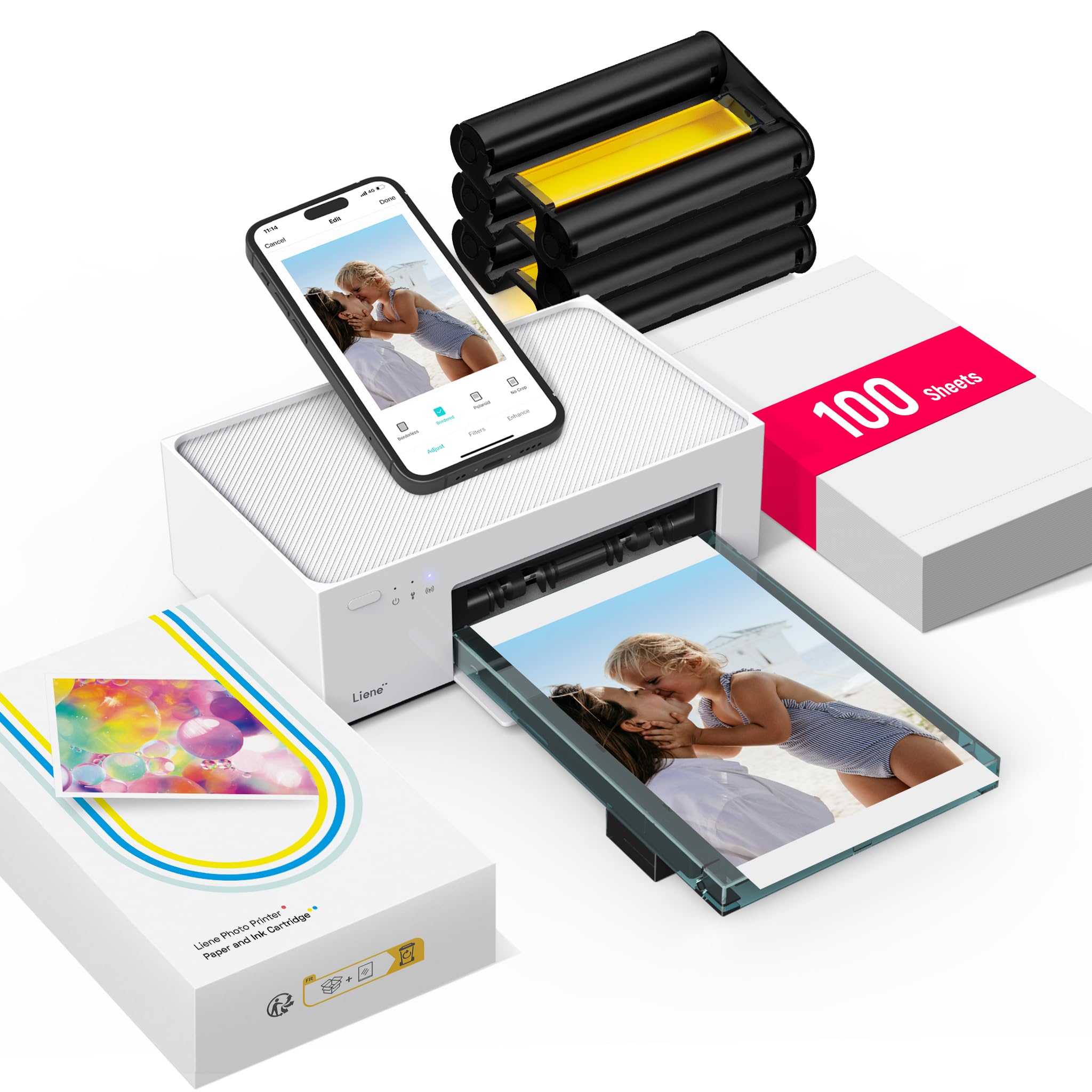
- The Liene M100 is a 4×6 dye-sublimation printer with a built-in Wi-Fi hotspot and app editing. Its described package includes 100 sheets of paper and three color cartridges.
- The M200 includes a rechargeable battery and a starter set of 20 sheets with one cartridge.
Is Liene M200 Worth It?
The Liene M200 is worth considering for people who want shareable 4×6 color photos and the flexibility to print away from an outlet.
Its dedicated hotspot, multiuser connections, and app-based edits make it a convenient match for casual keepsakes at home or on the go.
Before buying, weigh the up-to-40-print battery capacity and small starter supply against your expected printing habits.
If those limits fit your routine and your devices work with its app and connection setup, the M200 offers a focused, portable way to turn phone photos into physical prints.
Your review at a glance
500+ ratings
Read Amazon ReviewsLiene M200
A fit for families and travelers who want app-edited 4×6 color prints, with the option to print away from an outlet.
- Prints color photos on glossy 4×6-inch paper using dye-sublimation technology.
- A built-in rechargeable battery allows printing without a power cord, for up to 40 prints per charge.
- Built-in Wi-Fi hotspot enables direct connection and is intended to avoid interference from an unstable home network.
- Supports iOS, Android, laptops, and PCs; up to five users can connect simultaneously.